
Mavsign1.14.7 - Google Play
You'll be able to see results in few seconds.
Publisher Description

Mavsign - The nationwide experts in offsite automotive contract signings.
The official mobile application of Maverick Signings was designed to offer dealerships and notaries the ability to expedite the order process and an additional layer of security through our new biometric customer validation.
Auto dealerships will be able to:
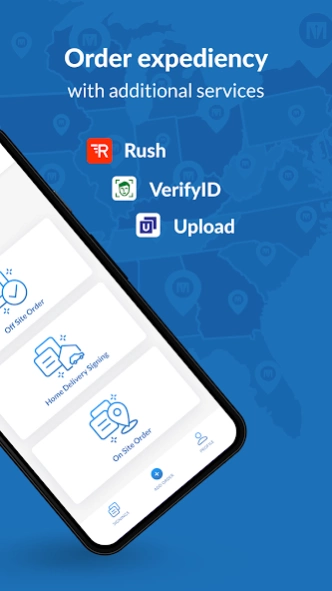
- Create offsite and HDS orders
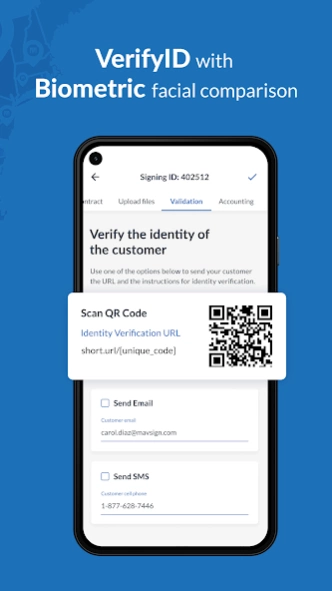
- Validate dealership instore prospect using our biometric ID validation in 3 simple steps
- Manage all orders and communication with our schedulers
- Upload documents directly from your phone
Notaries using the app will be able to:
- Submit their registration and go through the onboarding process
- Receive new orders and instructions
- Manage communication
- Maintain their credentials up to date
- View and complete orders
Support:
For Sales questions: Sales@MavSign.com
For Technical Support: techsupport@mavsign.com
For Notaries: Info@MavSign.com
For Dealerships and Automotive Associations: CustomerService@MavSign.com
Mavsign provides professional services for the retail automotive industry by combining their expertise in mobile notary and car purchasing to deliver secure and fast contracts for all offsite signings. Mavsign's unique combination of experts in retail automotive management, notary and software development is reflected in their custom workflow and platform.
Delivering over 400,000 contracts over the past 13 years Mavsign is the trusted partner for more than 2,500 dealerships nationwide.
About Mavsign
The company that develops Mavsign is Mavsign. The latest version released by its developer is 1.14.7.
To install Mavsign on your Android device, just click the green Continue To App button above to start the installation process. The app is listed on our website since 2024-04-05 and was downloaded 0 times. We have already checked if the download link is safe, however for your own protection we recommend that you scan the downloaded app with your antivirus. Your antivirus may detect the Mavsign as malware as malware if the download link to com.maverick.mavsign is broken.
How to install Mavsign on your Android device:
- Click on the Continue To App button on our website. This will redirect you to Google Play.
- Once the Mavsign is shown in the Google Play listing of your Android device, you can start its download and installation. Tap on the Install button located below the search bar and to the right of the app icon.
- A pop-up window with the permissions required by Mavsign will be shown. Click on Accept to continue the process.
- Mavsign will be downloaded onto your device, displaying a progress. Once the download completes, the installation will start and you'll get a notification after the installation is finished.
Program Details
System requirements
Download information
Pricing
Version History
version 1.14.7
posted on 2024-04-05
Bug fixes and improvements
version 1.14.6
posted on 2024-03-29
Application Retirement Announcement: With this update, we regret to inform you that the native Mavsign Android app will be retired soon. This means that starting with April 8th, the app will no longer be available to submit new orders. However, you can continue to access your order history. Stay tuned for the upcoming Mavsign mobile application 2.0 release, exclusively on the iOS App Store.
Disclaimer
Official Google Play Link
We do not host Mavsign on our servers. We did not scan it for viruses, adware, spyware or other type of malware. This app is hosted by Google and passed their terms and conditions to be listed there. We recommend caution when installing it.
The Google Play link for Mavsign is provided to you by apps112.com without any warranties, representations or guarantees of any kind, so access it at your own risk.
If you have questions regarding this particular app contact the publisher directly. For questions about the functionalities of apps112.com contact us.
